
Checkout
Shoppers scan items with their phone, pay in the app, and walk out. The retailer's existing item-level RFID confirms at the exit that only paid items leave the store.
How it works
Cost-effective, Frictionless, and secure, Hop Cart's mobile checkout platform, paired with RFID technology, empowers shoppers to purchase items in-store without having to wait in line.
Streamlined retail experience powered by cost-effective technology.

Scan Barcode
Scan Barcode on product and add item to cart.

Checkout and Pay
Checkout and Pay
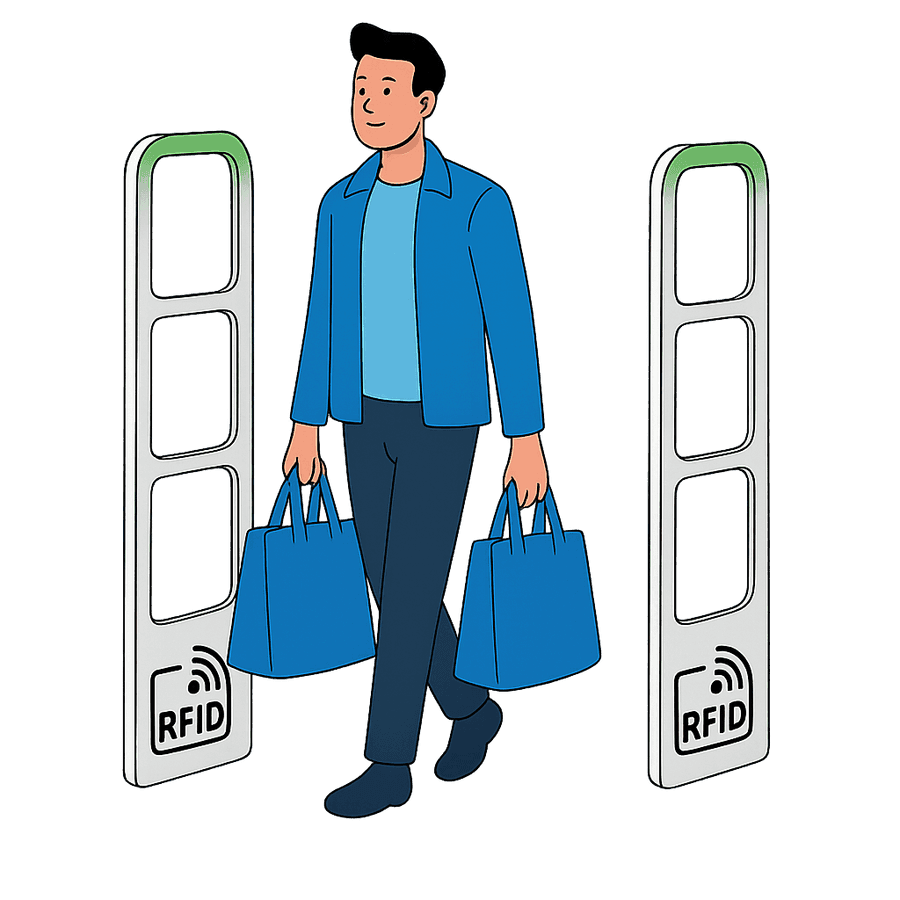
Security
Walk Out
RFID reader confirms all items exiting the store have been paid for.
Hop Cart integrates based on each retailer's specific needs
Hop Cart integrates seamlessly with your existing retail infrastructure, connecting with POS backends and payment gateways.
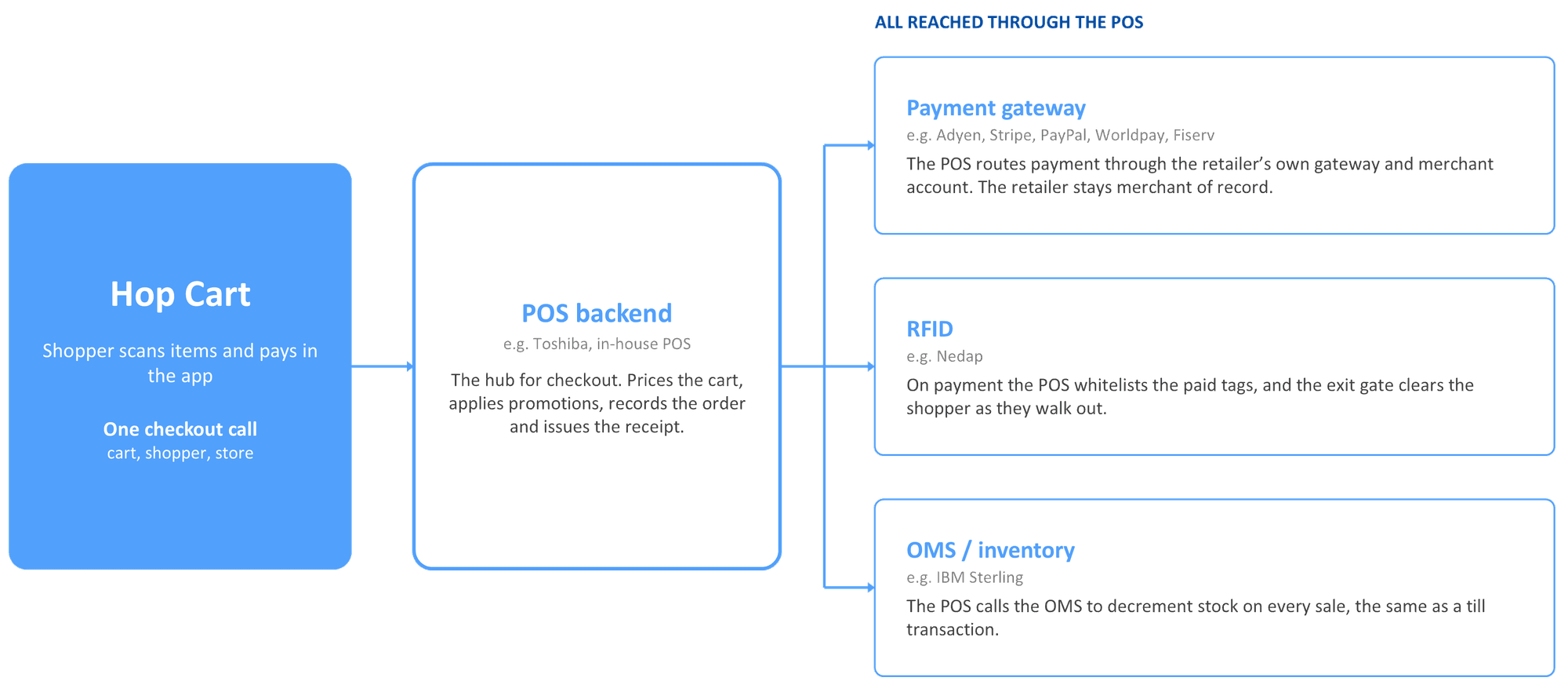
Integration points may vary depending on each retailer's specific systems and requirements.
AI Agent
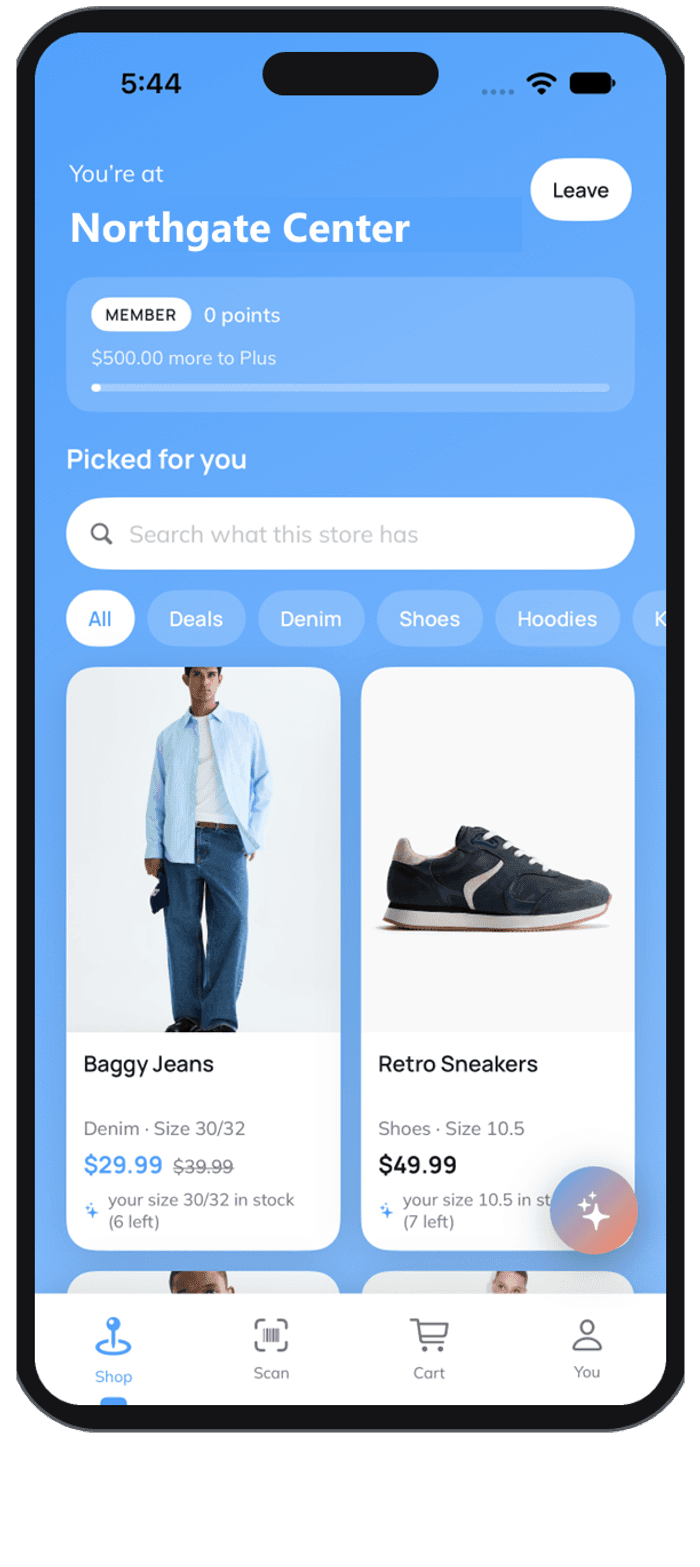
The same app becomes an assistant in the aisle — answering shopper questions from live store data and surfacing offers while the shopper is still in front of the product.

Assistant
Answers in the aisle
Shoppers ask about sizing, availability, or where to find something and get an answer in the app — no hunting for an associate.
Personalization
Offers in the moment
Recommendations and promotions delivered while the shopper is still standing in front of the product, based on what is already in the cart.
E-Commerce Style Insights
Because the shopper is identified, the retailer sees the store the way they already see their website: what gets scanned, tried on, put back and bought — and why.
Retailer dashboard · Demonstration data

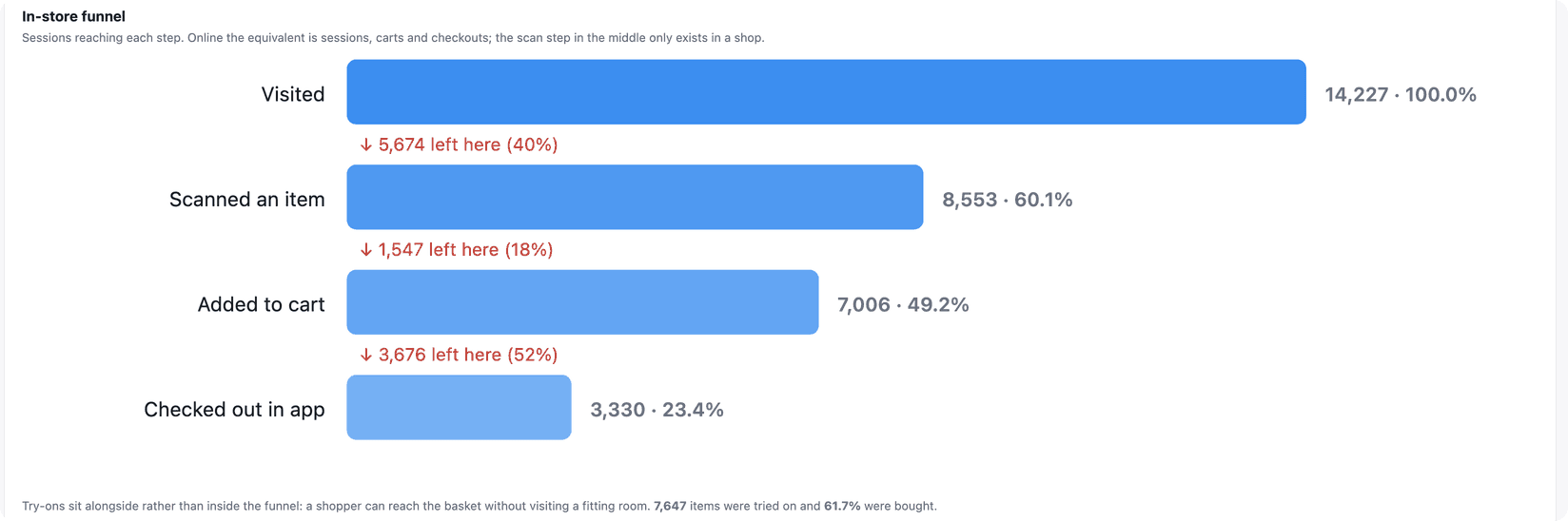
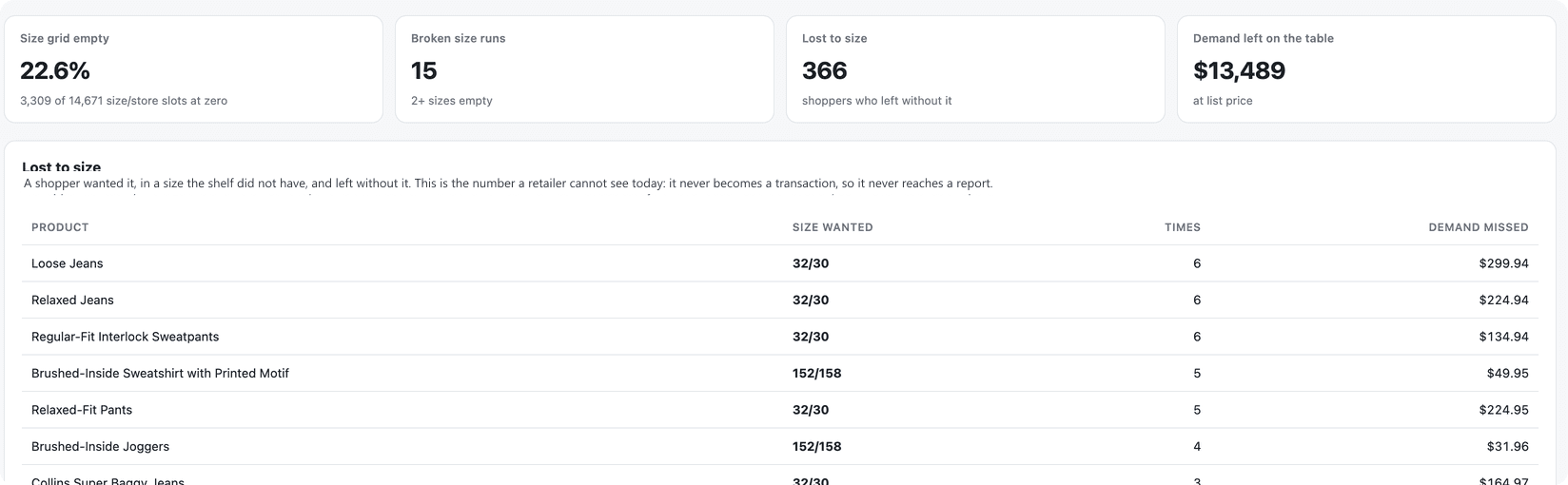
Figures shown are demonstration data, not results from a live store.